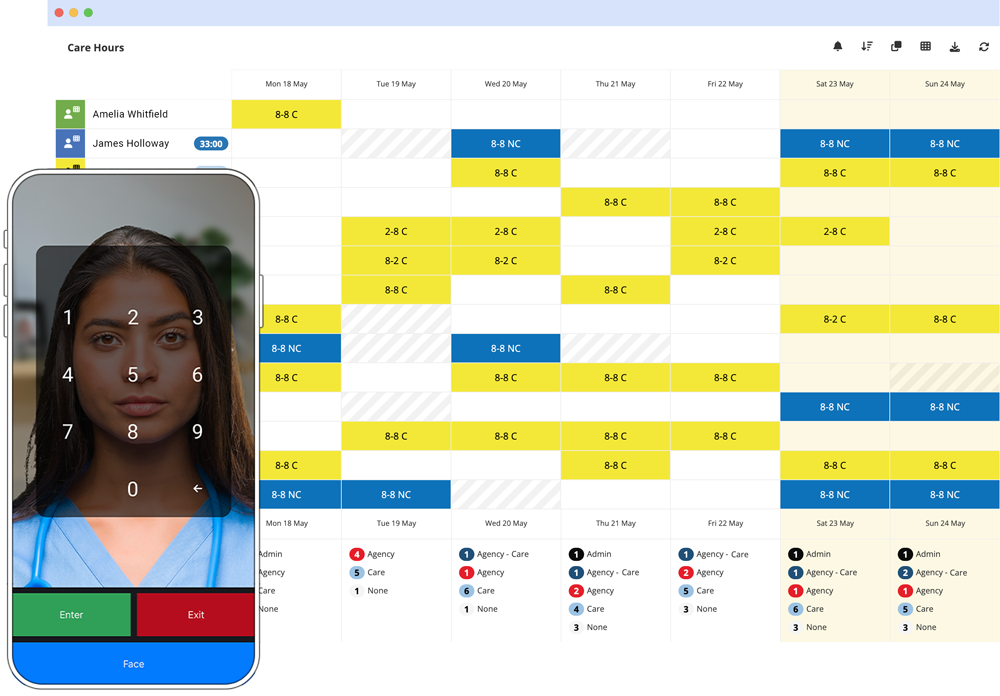
Facial Recognition Time & Attendance
Clock in with facial recognition from any phone or tablet. No hardware. No buddy punching.
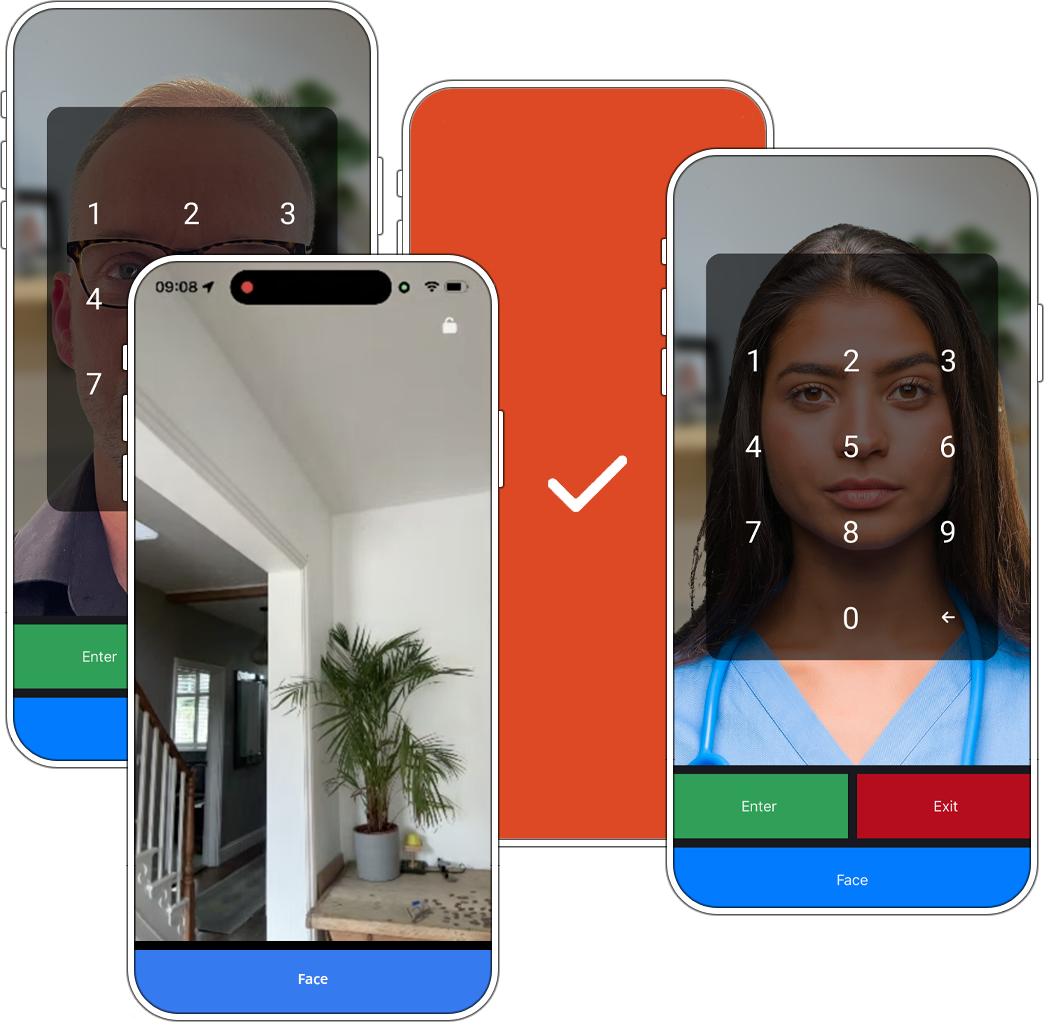
No hardware. No setup. Just faces.
Most clocking systems want to sell you a terminal. Alpaka Presence runs on any phone or tablet you already own. Staff look at the screen, they're clocked in. Timesheet updates instantly.
- Works on any iOS or Android device
- Recognises faces in under a second
- Eliminates buddy punching
- Full audit trail of every clock in and out
- Timesheets generated automatically
Buddy punching and rounded-up timesheets aren't a training problem, they're a measurement problem. Businesses that switch to facial recognition typically see a 6% reduction in their wage bill - the gap between what was clocked and what was actually worked.
Getting Started
Alpaka Presence starts with nothing. Point it at a room and it begins recognising individual faces straight away - no staff list, nothing typed in. It's already working before a single name exists in the system. Names get attached to the faces afterwards, whenever someone gets round to it; the system was never waiting on them. That's about as fast as enterprise software gets from install to something worth looking at.
Read video transcript
Alpaka has always been a great choice for HR software, especially if your team are using paper time sheets and handing them into an administrator who has to key them in to an Excel file perhaps and send them off to payroll that way. Paper time sheets come with their own problems and expense, and HR software is the same - it comes with its own problems and expense before you experience any real value.
And that's in the setup. When we have a new client using Alpaka, traditionally we've asked them for their staff data, and we've asked them for information about contracts and rotas and things like that. Before any value has been experienced, we have to fill in so much stuff about your business.
I wanted to change that because it's painful for you and it's painful for us. So now I've made changes to our clocking in and out app, Alpaka Presence. Traditionally, we would have put in the data and we would've given your staff either QR codes or PIN codes, which serve as their identity as they come and go from work. And we would build a picture of their time sheet using QR codes and PIN codes having already filled in the data.
And as you can see on screen, those two clock-ins and outs were from Diego on a QR code and Kate using a PIN code. However, I am not an employee of this fake company on screen, and I have not yet had my data added to this. Let's imagine that you have hundreds of employees who are also in the same boat as me - no data in here. All I've brought to work is my face.
I can click on the face button and have it take my photograph. And the instruction is do the same again as you leave. No need for us to have prepared your data. What's going to happen here is that Alpaka will use my face to either know who I am or not, and that looks like this on screen.
So what's happened is Alpaka has said somebody came to work at one minute past one, and that's what they look like. Nice photo. So over here in our Faces page, it's going to list for me the unknown faces that I have to establish an identity for. Now at this point, I can identify them and either create a new member of staff or say who it is from an existing member of staff. Typically, an unknown face here requiring a review would only be people for whom we have not yet added their data.
What I'm gonna do is very quickly show you the alternative and add some photographs of me as an old man. And even though it's not required, I'm gonna add a second photograph of me with a longer and less grey beard - and I'm in a suit. There I am. So two very different photos of me.
And let's try the Alpaka Presence app again with my face. This time, now that it's done, we'll go over to our Presence page, and as you can see, that latest reading has been added, and it knows who I am based on the facial recognition photograph.
So to recap, my face was unknown until I told Alpaka who it is. And now when I come and go from work, I can use only my face and not have to remember a PIN or a QR code in my pocket to build my own digital time sheet - that's completely accurate and very payroll friendly.
So if you've been avoiding getting a new HR software package and going digital because of the pain and because of the expense of just getting started, Alpaka is the HR software where you can begin and experience real value without any pain whatsoever.
Hardware
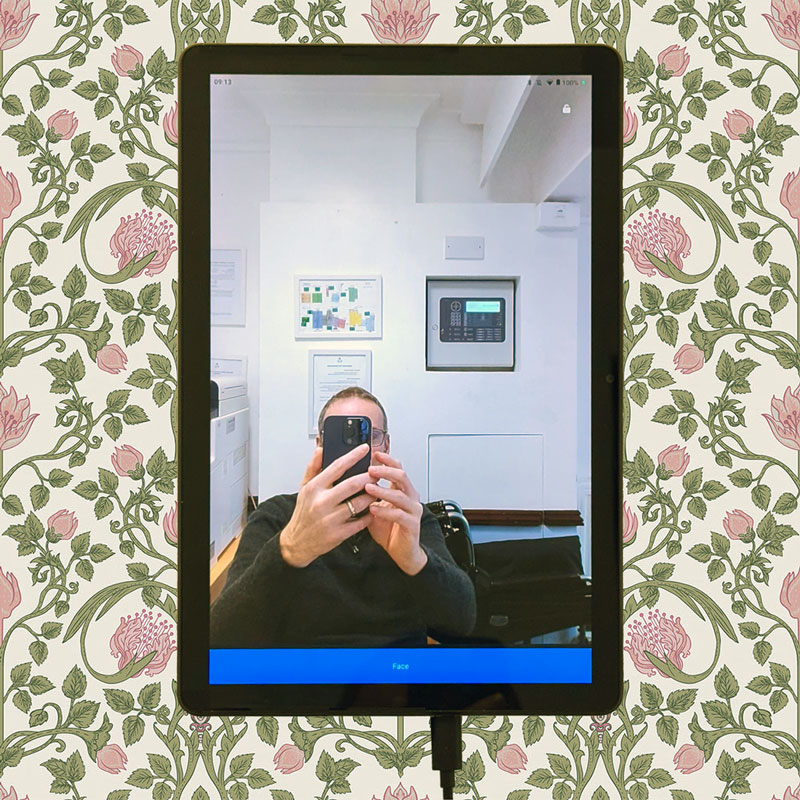
Presence runs on any phone or tablet you already own - no terminals, no proprietary kiosks, no forced hardware spend. Most sites mount one device in a fixed spot by the entrance, rather than relying on staff to use their own.
Personal phones work too, but in practice they end up in a locker or on silent right when someone needs to clock in - a dedicated device removes that friction entirely.
Don't have a spare device? A new Android costs from around £80, a one-off cost with nothing recurring after that.


Checking who's really there
A colleague clocking someone else in is the single biggest driver of the 6% gap between clocked hours and worked hours. Every clock-in is checked against a face, so it stops being possible.
Facial recognition is the default; PIN entry and QR badges are both there as alternatives if a client requires something else.
The device also tracks where it is - even a fixed terminal on the wall carries its own location, so a reading always comes with a place attached, not just a name and a time. That's what matters for teams without one fixed spot: a home-care worker clocking in from a client's house, say, rather than the same tablet every morning. There, location is the proof - within 50 metres of where someone's supposed to be counts as clean, any further out and it doesn't.
Security & Data ProtectionWhen the wifi drops
If the wifi goes down, the device just holds the readings until it's back.
A dropped router for the afternoon costs you nothing but a delay. How long it can hold readings for comes down to the device's own storage, not a fixed number: fill it up and that's the ceiling, whatever it happens to be.
For sites where the connection's genuinely unreliable, we'll set up a data-only SIM as backup, so the device has its own connection the moment the main one drops. On a busy site, that SIM costs a lot less than losing readings.
But where's the AI?
Alpaka has AI, just not in places it isn't necessary.
You'll find it here And here And hereWhat happens to a reading
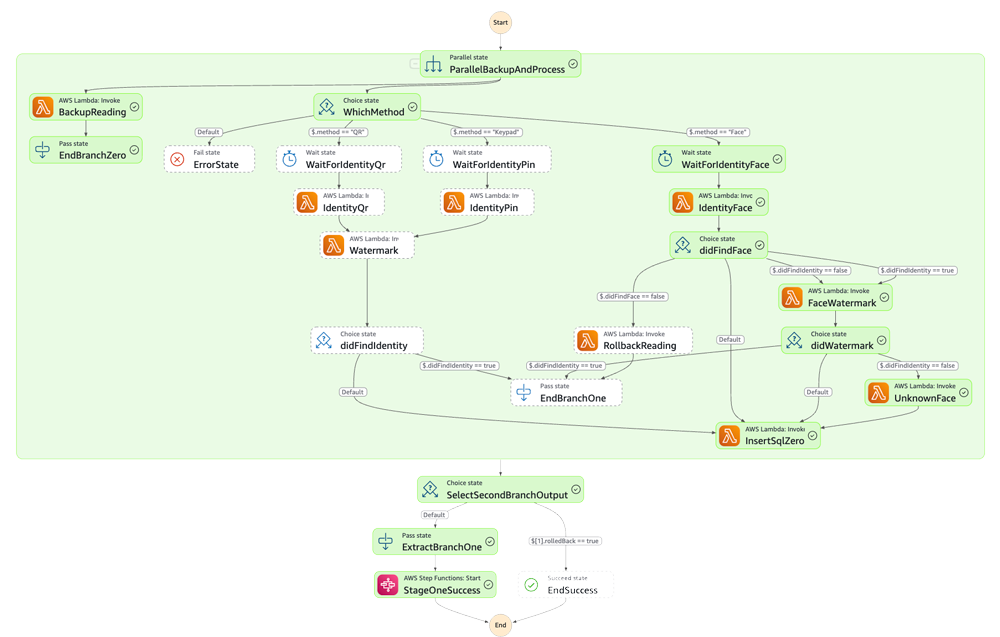
A clock-in reaches the Alpaka cloud and gets worked on straight away.
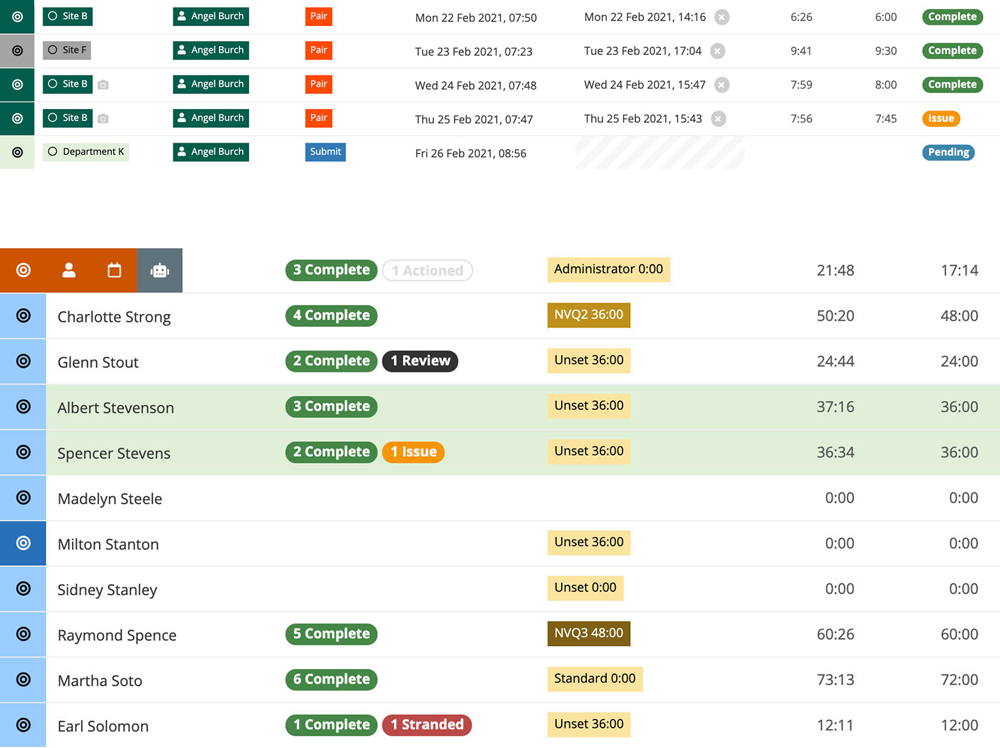
It's checked against the last reading to see if it's an arrival or an exit, checked against the rota or the person's usual pattern, then scored with a traffic light and a short plain-English reason - "on time," "early arrival, no exit logged," that kind of thing.
From there it's costed against the right pay rate and it's already on the dashboard.
Getting the data out
Everything is live on screen as it happens: who's in, what's flagged. When it needs to leave the browser, there are more than 20 formatted Excel exports, covering the different ways a business needs to see the same numbers - including schemas built for Sage and for Stream (formerly Wagestream), so the numbers import cleanly into either.
There's also a predictive export: it uses the rota to fill in the days that haven't happened yet, so you can see roughly where a payroll period is heading before it's actually finished.
Watch Alpaka Presence clock someone in
A two-minute walkthrough of facial recognition clock-in on a phone. This is exactly what you'd send your own team before go-live - no training session required.
Read video transcript
Hello. When you come and go from work by the door that you come in and out of will be a tablet or a smartphone like this one, which has got the clocking in and out app on it that you'll need to use to make sure we get your time sheets absolutely right.
This one has a key pad, several buttons, but yours might be blank and may only have the one button that you do need, which is the facial recognition button. I'm going to show you how to do that now.
So bear in mind that yours might not have these buttons or a keypad, but what you definitely do have is your face with you.
So when it's time to enter work, press the blue face button and it will count down and take a photo of your face and now you're done. You can just go into work, get ready and get started.
At the end of the day, when it's time for you to leave work, make sure you do exactly the same thing. So it records both ends of your shift, the beginning and the end.
So I'm gonna do it again. Press face, it counts down and takes my photo. Make sure that your head is nicely lined up inside the picture. Make sure that you don't press face and get outta there keen to get started. Your face needs to be in the photo, um, and try not to be like this coming into work or if it's raining with your hood down and stuff like that.
Just make sure it can see your eyes, your nose, and your mouth. You can wear glasses, you can wear a hat, you can have on a hood and a scarf. It's very flexible, but it does need to see as much of your face as you can possibly manage every time you come and go from work. So all you have to do, press the face button and let it take your photo.
If you arrive at work and this app isn't on the tablet or on the, the device that you usually use, it's only a an Android phone. It's only an Android tablet. Just find the app that says Alpaka Presence and open it back up easy.
There's no excuse. You don't need to log in. It will just remember and come back like this, and then you can go ahead and clock in and out.
Read video transcript
Hey Wilson, come here.
You see this? People use this app to say that they're arriving at work, and going home from work. You don't have a job.
So you've never done it right? Can you but I'll tell you what your PIN code is 1234. And when you're at work, you're going to say, enter. So can you have a go there?
And then at the end of the day, tell me before you do it, what do you think you're going to do at the end of the day when it's time to go home?
Excellent. Oh, that's a good guess.
Brilliant. And so you were only here for a minute. So I guess there's no wages.
Clear off
Can an 8 year old do it?
We roped in family during lockdown to prove a point: if an 8-year-old can clock in without training, your team won't have any issues.
PIN is still an option if there is a legitimate reason to not use your face.
Three ways to get started
Try it yourself
A 5-minute guided walkthrough of Alpaka, no setup required, no data. Best if you'd rather get hands-on before talking to anyone.
Book a live demo
Talk it through with a solution specialist - not a salesperson. Ideal if you've got specific questions or want to see how Alpaka fits your setup.
Sign up free
Start right away - no credit card, no setup fees. The quickest route if you already know what you're after.