Staff Rota & Scheduling Software
Build it fast, see the gaps as they emerge, and know you are covered and what it costs.
Build the week's rota in minutes, not an afternoon.
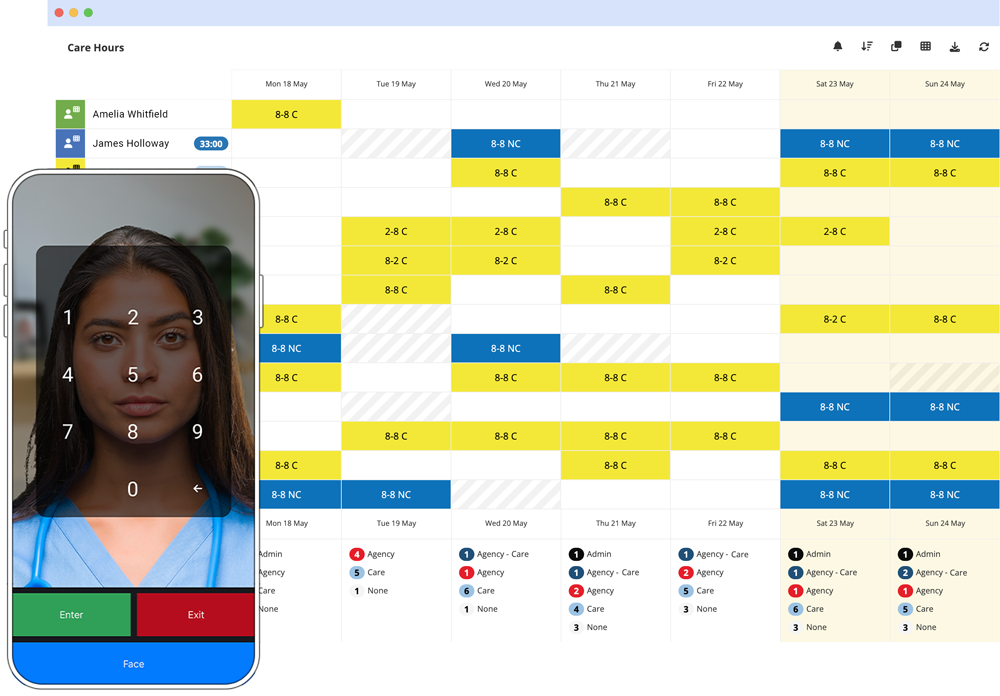
Clone last week, apply everyone's regular pattern in one action, then fill the gaps that are left. Alpaka flags understaffed shifts before you publish and totals the wage cost as you build - so you catch the gap and the cost before your team does.
Scheduling is part of the Core plan: £3 per person per month, alongside leave, absence and HR records.
What your rota actually needs to do
Most weeks look like last week
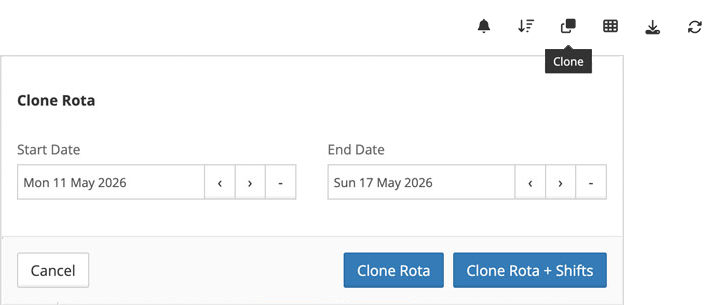
Clone the previous rota, apply everyone's usual pattern, fill in whatever's actually changed. Most managers have it done in under twenty minutes once the initial setup is in, because they're not retyping the 90% that stayed the same.
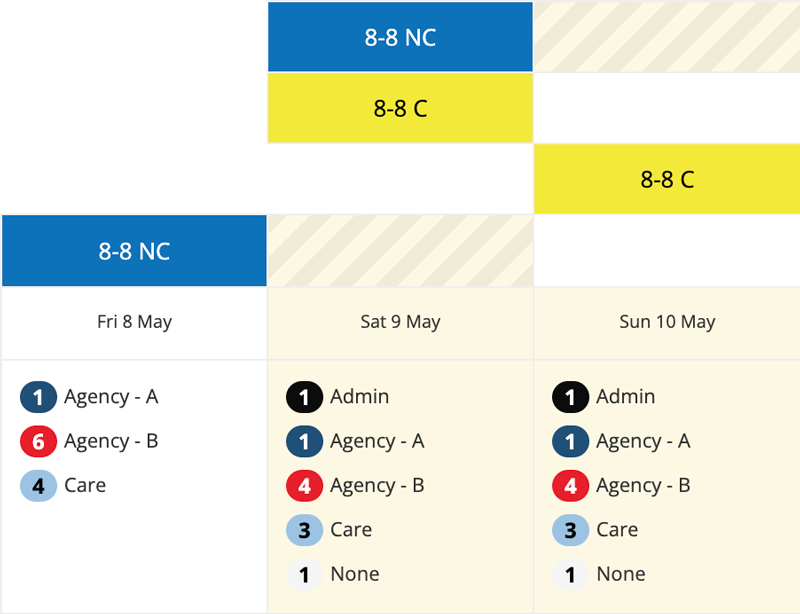
Staffing gaps
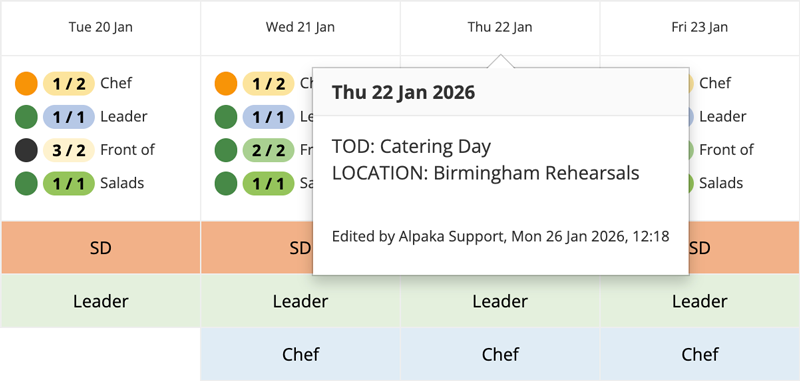
Tell Alpaka what a day needs - by department, by shift, by time of day. If Thursday's kitchen is short, the rota shows red before you publish it, not at 7am when someone doesn't turn up.
The one that catches people out is the other direction. Overstaffed days don't set off any alarms. Nobody rings you about a shift that didn't need to be there. It just costs you a bit more, every week, quietly, until you go looking for it - which most people don't, until we show them the number.
Wage cost
Hours total live under the grid as you build it, split by shift type and department. Attach pay grades and you're watching the number change while you're still deciding who works when - instead of finding out at the end of the month what the last four weeks actually cost.
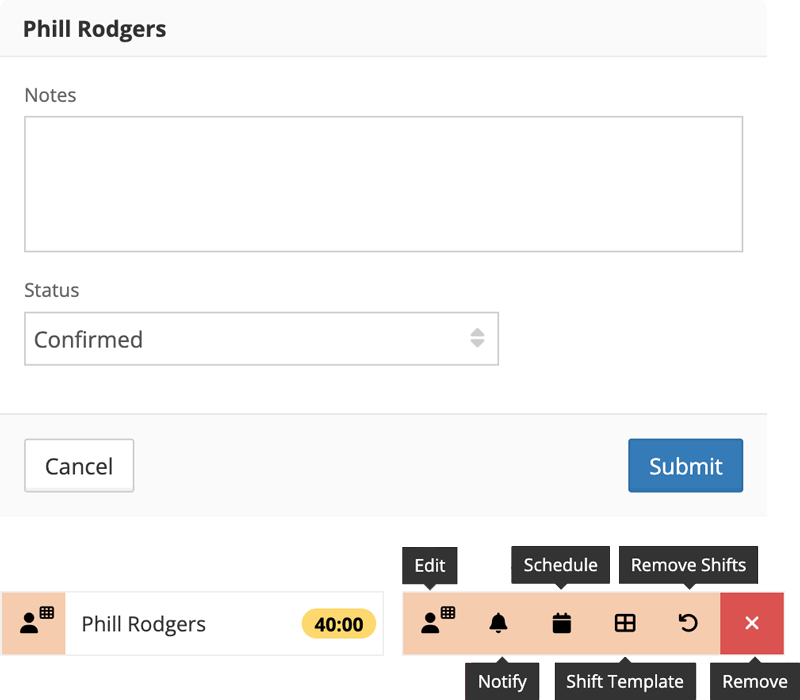
Draft and confirmed
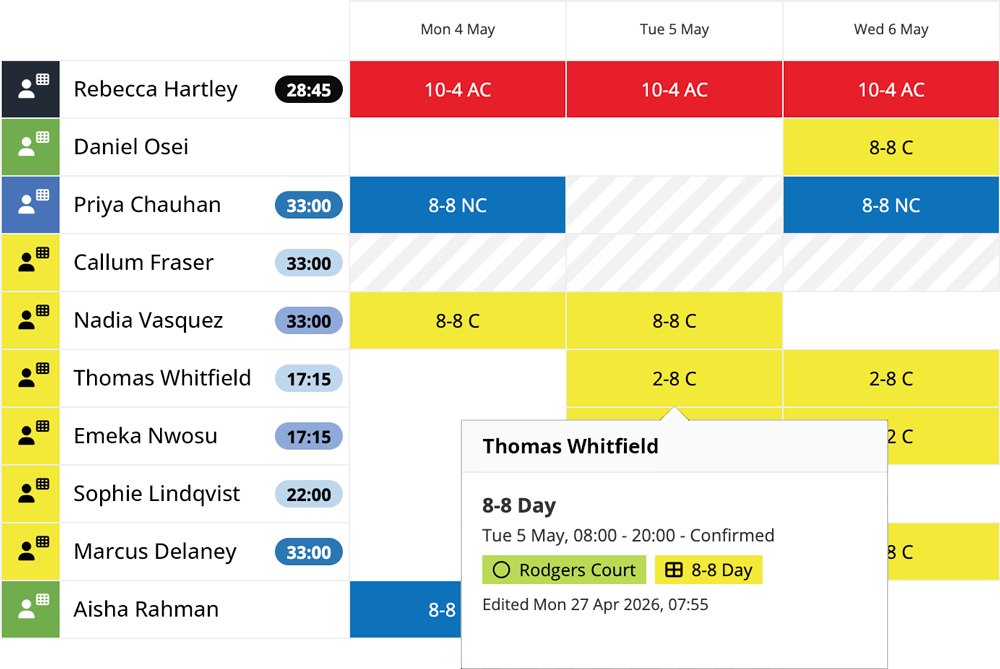
A rota that isn't published yet looks unpublished - hatched, greyed, obviously not final. Hit confirm and the whole thing locks in one go, with the team told from inside the rota rather than a phone forwarded round the group chat. There's one copy. Everyone's looking at the same one.

Clashes
Someone already booked on another rota, or off on approved leave - it's visible in your grid before you save, not after they've turned up to the wrong place. You can override it. You have to do it on purpose, though.
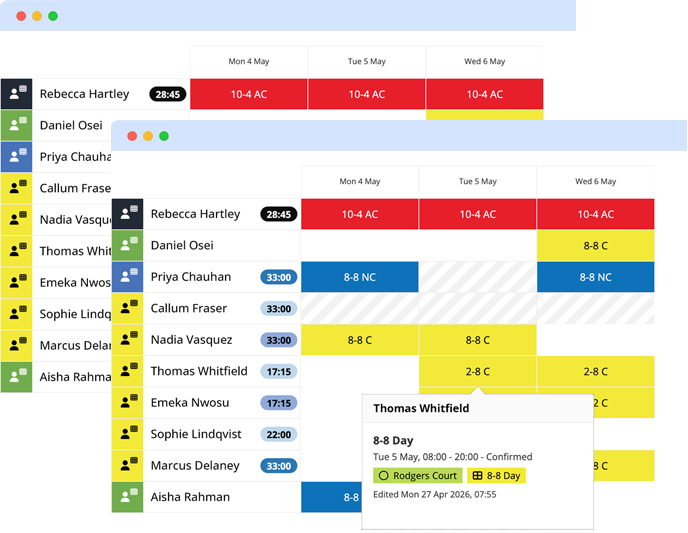
Two people, one rota, at the same time
Managers can both have the rota open together and watch each other's edits land without refreshing. Editing, publishing, and who sees pay data are separate permissions - so covering someone's day off doesn't mean handing over everything.
What a better rota is worth
Everyone sees the same rota
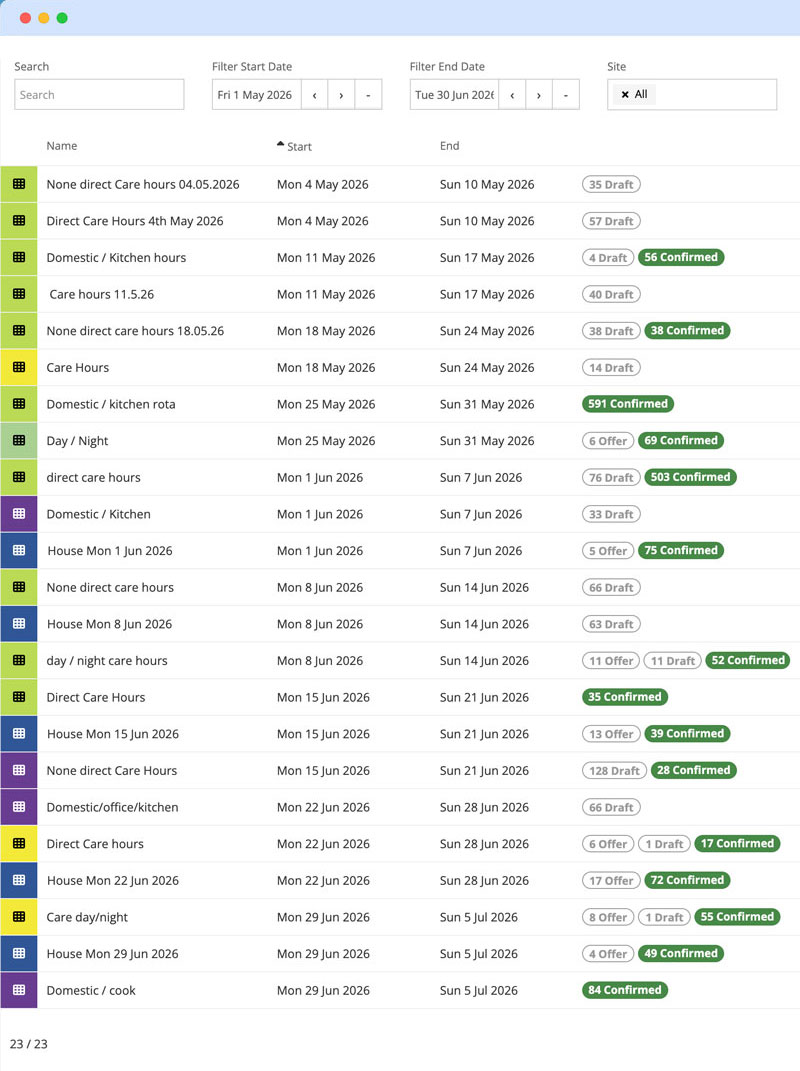
The rota, wallplanner view, activity feed, and automated schedule emails all update the moment something changes - no refreshing, no forwarding screenshots. Staff can message the team directly from the Alpaka app if anything needs sorting.
Managers save an average of 5 hours per week - recovering 260 hours annually previously lost to copying, pasting, and chasing employee availability.
Rota visibility means the provision matches the budget, preventing an 6% overspend before it happens.
Paper timesheets might take an hour and several pairs of hands to compile - for £3 per person per month, Alpaka costs less than the paper process and less than any comparable platform on the market.
"But Excel is free."
Excel is free the way a puppy is free. Here's what the spreadsheet doesn't do - and what each gap actually costs you.
| The gap | What it costs you |
|---|---|
| Can't see leave or other rotas while you schedule | Double-bookings, and staff who stop trusting the rota |
| No staffing targets | Understaffed days discovered at 7am; overstaffed days never discovered at all |
| No live hours or cost totals | The wage bill is a surprise, four weeks after you could have changed it |
| No draft/published distinction | Staff plan their lives around rotas you hadn't finished |
| No notifications | You are the notification system - every change means a round of calls |
| One editor at a time, no audit trail | Scheduling stops when one person is away, and nobody knows who changed what |
Questions managers actually ask us
Three ways to get started
Try it yourself
A 5-minute guided walkthrough of Alpaka, no setup required, no data. Best if you'd rather get hands-on before talking to anyone.
Book a live demo
Talk it through with a solution specialist - not a salesperson. Ideal if you've got specific questions or want to see how Alpaka fits your setup.
Sign up free
Start right away - no credit card, no setup fees. The quickest route if you already know what you're after.