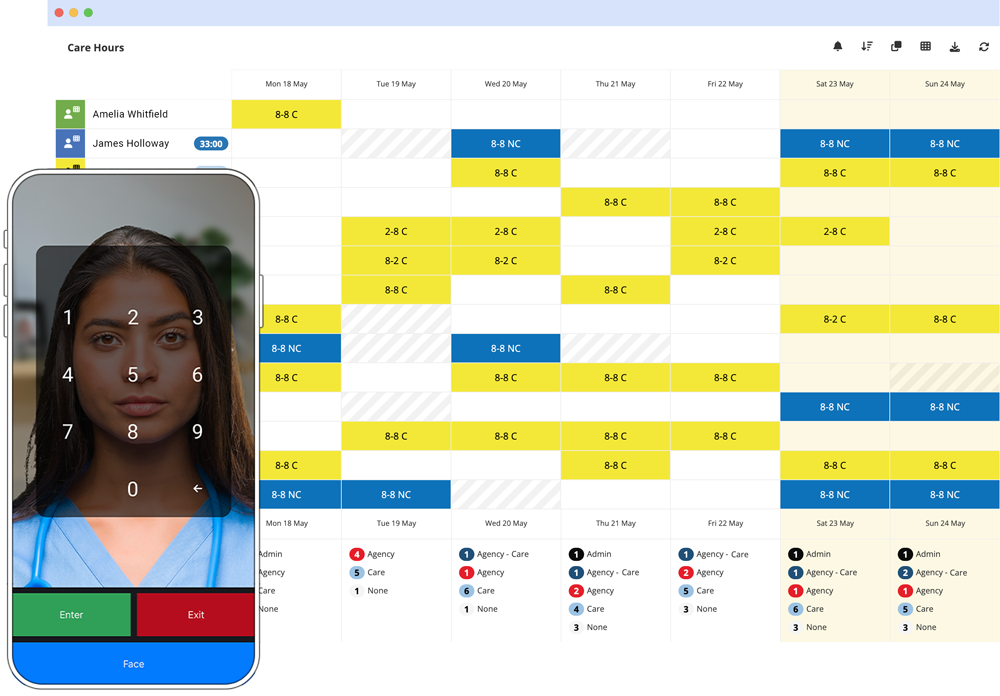
Annual Leave Management Software
Book, credit and approve leave through a conversation - with role-based workflows and full visibility on the rota.
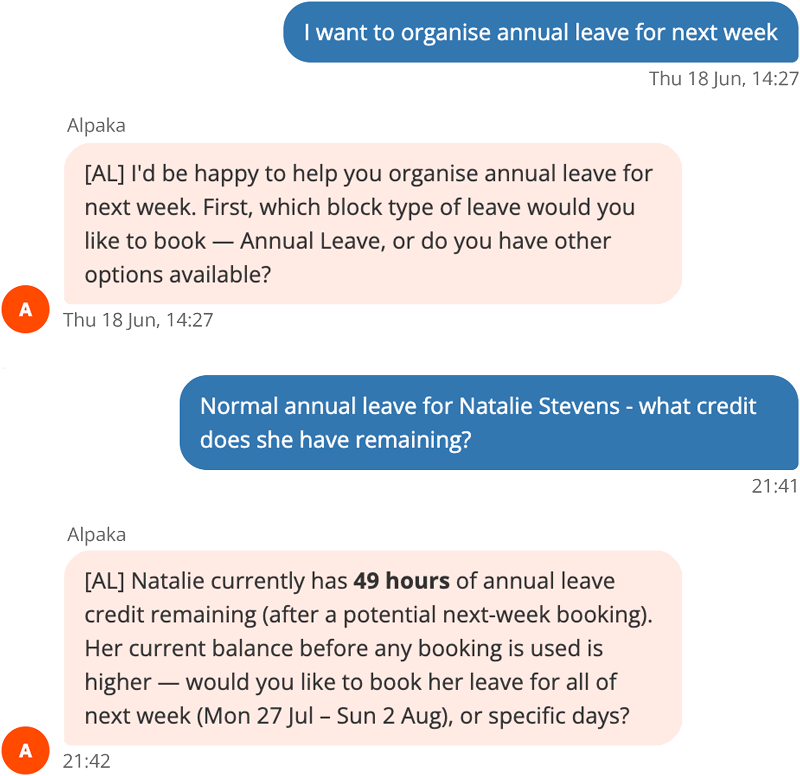
Just ask Alpaka to sort the leave
Skip the forms and separate balance lookups. Alpaka checks credit, confirms dates, and books leave directly through conversation.
- Check & book in one chat. Instant credit checks and booking without switching tools.
- Smart approval workflows. Route requests dynamically based on roles, not fixed names.
- Instant rota sync. Approved leave updates your schedules and rotas automatically.
- Branded notifications. Keep everyone informed with branded chat and email updates.
- Automated accruals. Leave credited automatically, with custom rules for exceptions.
Annual Leave Overview
A real Alpaka client's annual-leave data, walked through live - the same reporting and workflow engine that drives absence and time in lieu, covering role-based approval, credit tracking and visibility across the business.
Read video transcript
You might be expecting a professional scripted presentation at this point. Enterprise-grade software does demand such a thing usually, but I prefer to replace the polish with some passion when giving a real-world example. I believe it demands a real movie.
So on screen, we will go through the data from a real Alpaka client, how it relates to absence in the way that they measure and record and present absence information. And at all times, the names that you see here will be anonymized. These are fake names, as you can probably tell already if you take a close look at some of the nonsense in there.
So Alpaka is a utility for measuring time, and it's non-prescriptive, which means you can configure the types of time, and therefore types of absence, that you wish to record and report on and make use of in your views and charts. Now, being non-prescriptive, it means you can build something that better reflects your company policies or the way your HR department runs, or the expectations that your team already have of how this already works in your workplace. So when you move to a product like Alpaka, the road is less bumpy, and everything still seems familiar to them as we move along.
On screen, we can see we have the wider team ordered by seniority down and a date range of December 20 to September 21. Now, I want to filter down to only look at the kinds of time that we understand to be absence. So we've got sickness absence, lateness - I want to take a look at that. I'm also keen to see how self-isolation has been used by this team.
So we're ordered by seniority here, and as you can see, amongst my managers, we don't have what looks like a lot of white space, means we don't have an absence problem amongst our senior managers. I can see one there that I'm interested in - Bonnie had an example of lateness, 10:15. We'll see more about Bonnie later. And here we've got Robin has only one day of isolation at the weekend as well. And Manuel has got a four-day period of isolation there. So it's clear my managers or my upper management structure don't have a problem with absence.
So let's take a look at Site C and see if that's any different. Yeah, more to see here. So my team at Site C, we've got someone here, Avery, with a long-term sickness absence. There's Bonnie with her lateness - she works at Site C. And we've got a little bit of self-isolation, but actually, because of the color scheme, I can see self-isolation isn't prolific amongst this site, and therefore, they must have been following the guidance about staying distanced from each other because it hasn't gone through this site like you might expect.
Nominate the role, not the person
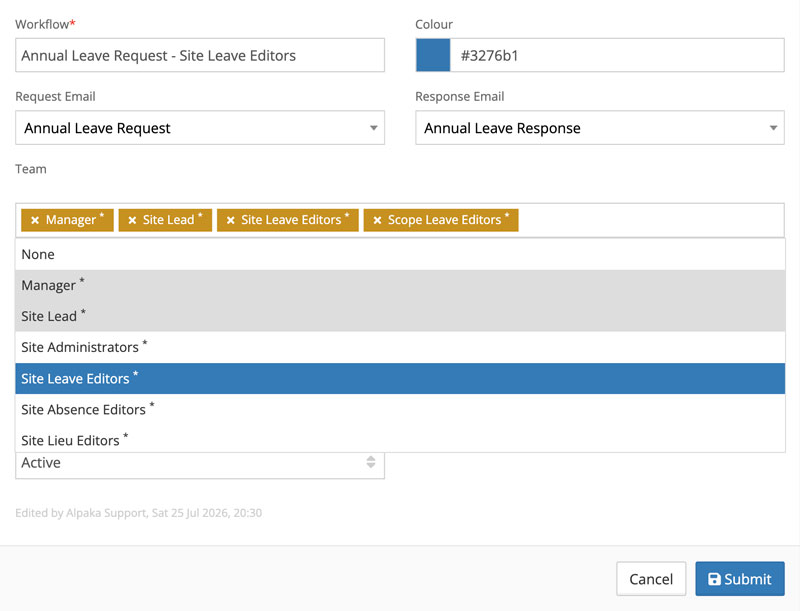
Build approval workflows against roles - Manager, Site Lead, or Site Leave Editors - rather than naming individuals.
- Zero maintenance when teams shift. People move on, but a workflow wired to a name just goes stale until a request gets lost. Wire it to the role, and the approver is always whoever is in the job today.
- Custom communication per workflow. Each role-based workflow carries its own request/response templates and assigned team of approvers.
Every request, waiting for the right approver
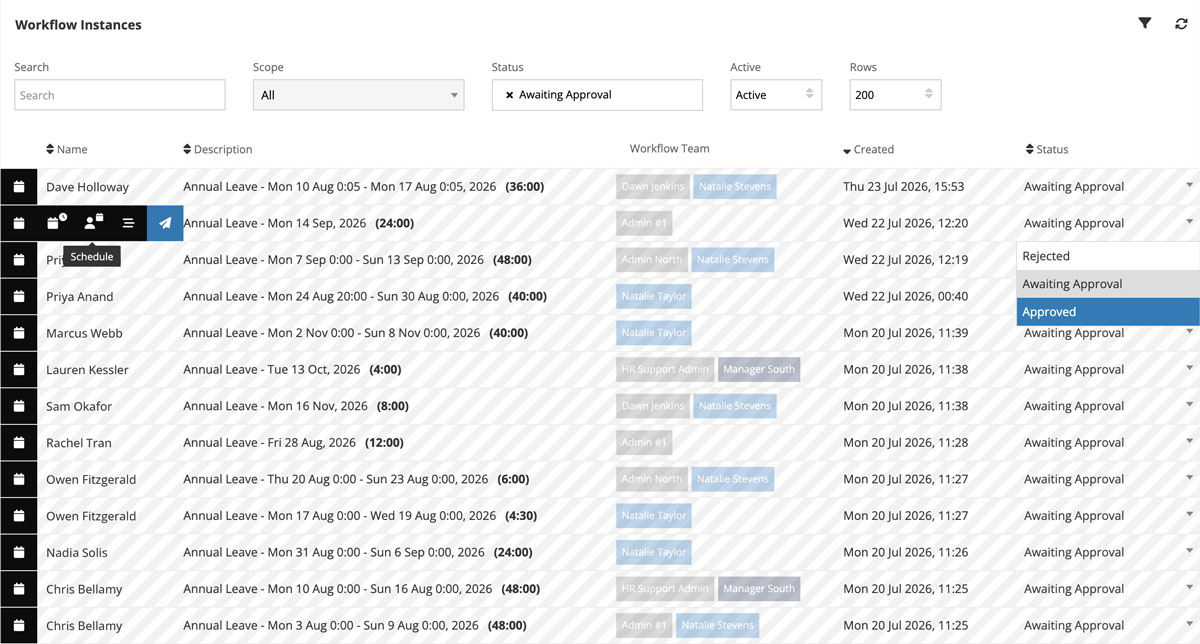
One list shows every request in flight - who it's for, how long, and which role still needs to act on it.
Approve or reject from the list itself, and a branded email or chat message goes straight out to everyone in that request's chain, so nobody's left checking whether a decision actually landed.
Credit that calculates itself
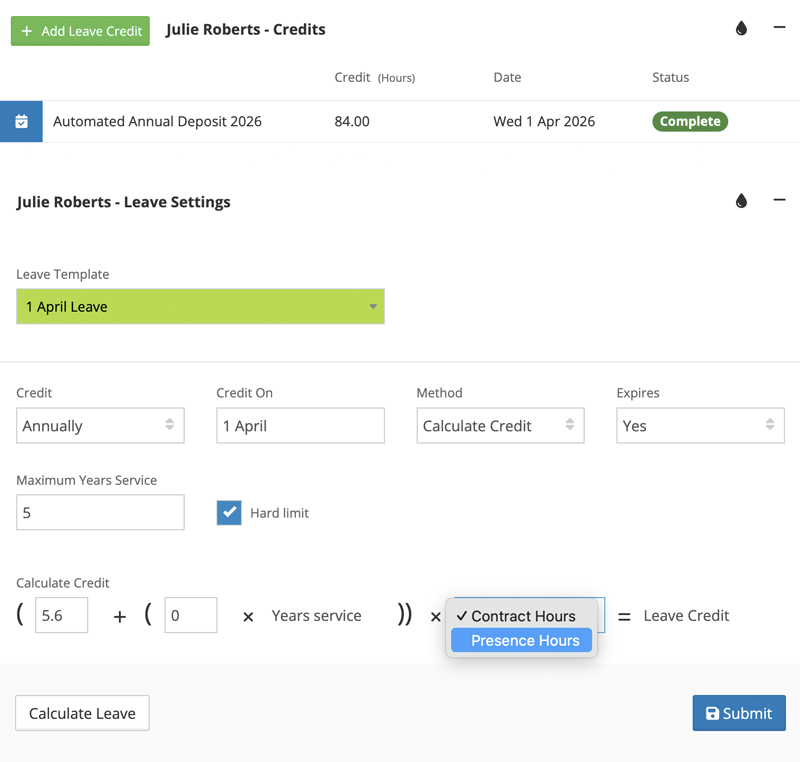
Set the formula once - a base entitlement plus a years-of-service uplift, calculated against contract or presence hours - and the annual deposit runs itself from there.
Most staff sit on the standard template. Anyone who needs different terms gets their own settings without touching the default for everyone else.
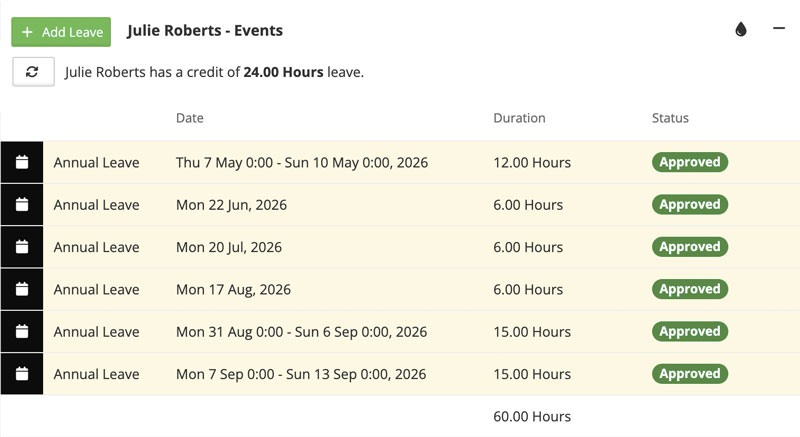
All individual leave events in one place to administer.
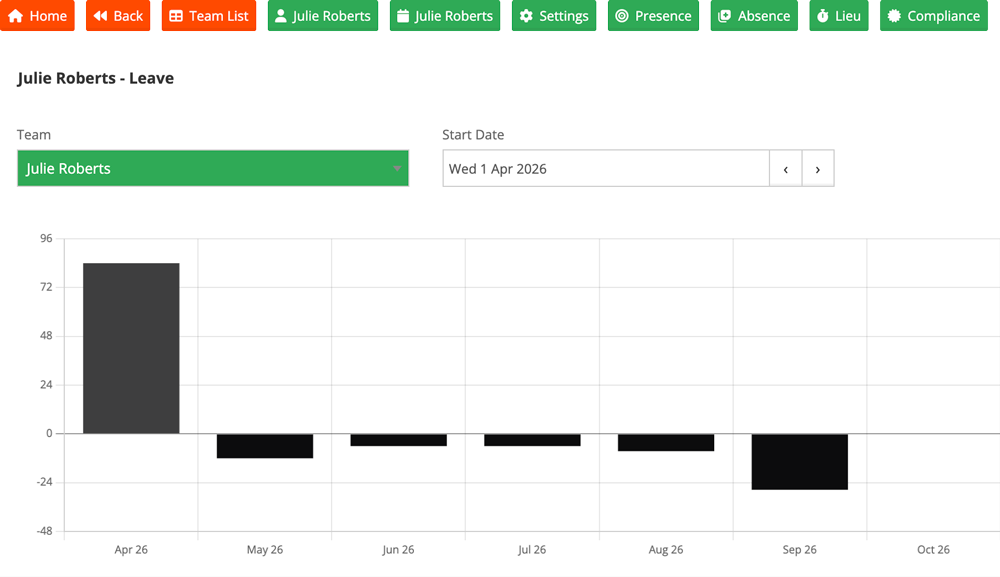
Consumption over the year, so admins can spot leave bunching up before it becomes a peak-period glut.
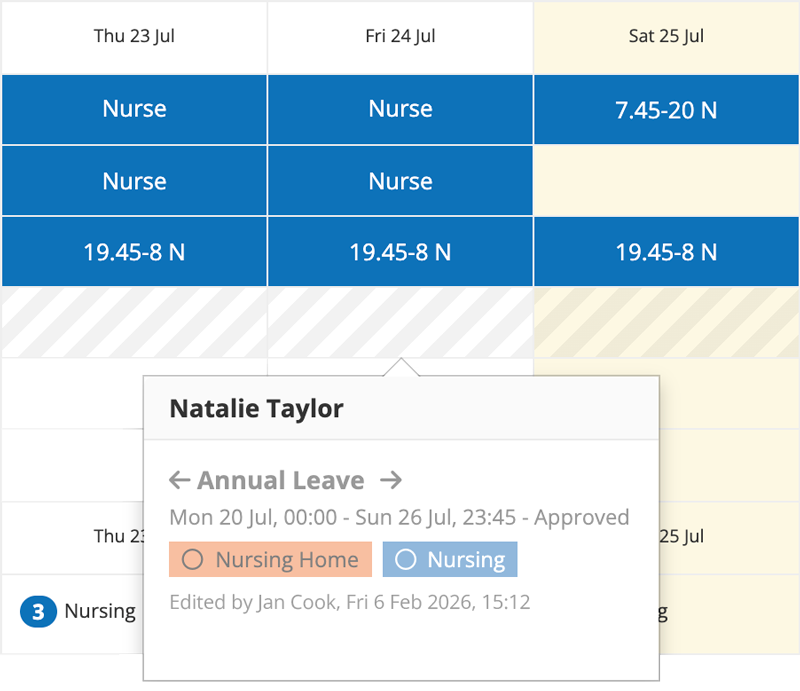
Visible wherever a shift gets built
Approved leave isn't confined to a leave screen - it shows up right against a person's shifts, wherever someone's building the schedule.
Whether that's allowed to clash with another event is your call: configure it to block a shift being placed against approved leave, or to just flag the conflict and let a manager decide. Either way, nobody finds out by accident that they've double-booked someone who's meant to be away.
Three ways to get started
Try it yourself
A 5-minute guided walkthrough of Alpaka, no setup required, no data. Best if you'd rather get hands-on before talking to anyone.
Book a live demo
Talk it through with a solution specialist - not a salesperson. Ideal if you've got specific questions or want to see how Alpaka fits your setup.
Sign up free
Start right away - no credit card, no setup fees. The quickest route if you already know what you're after.